
Antigravity IDE tutorials
Learn Antigravity IDE with practical guides on setup, agent-assisted development, browser testing, project skills, and MCP.
Learn Antigravity, one useful task at a time
Antigravity IDE is Google's agentic coding environment, with agents working across the editor, terminal, and browser. See the official IDE overview for the product definition.
This independent tutorial library combines links to Google documentation and Codelabs with original practice exercises. It is not affiliated with Google. Sources were checked on September 16, 2026; the dates on these guides describe our editorial updates, not the release dates of the source material.
Choose your next task
| Tutorial | What you will accomplish |
|---|---|
| Install the IDE and run your first task | Open a workspace and produce an accurate project note |
| Build a reading-list app | Plan, implement, and review a small working feature |
| Verify an app in the browser | Test user flows and keep reproducible evidence |
| Set up Rules and Skills | Make project conventions and review steps reusable |
| Connect an MCP server | Verify a read-only connection to an external service |
New to agent-assisted coding? Follow the first three in order. Already have a working project? Start with Skills or MCP.
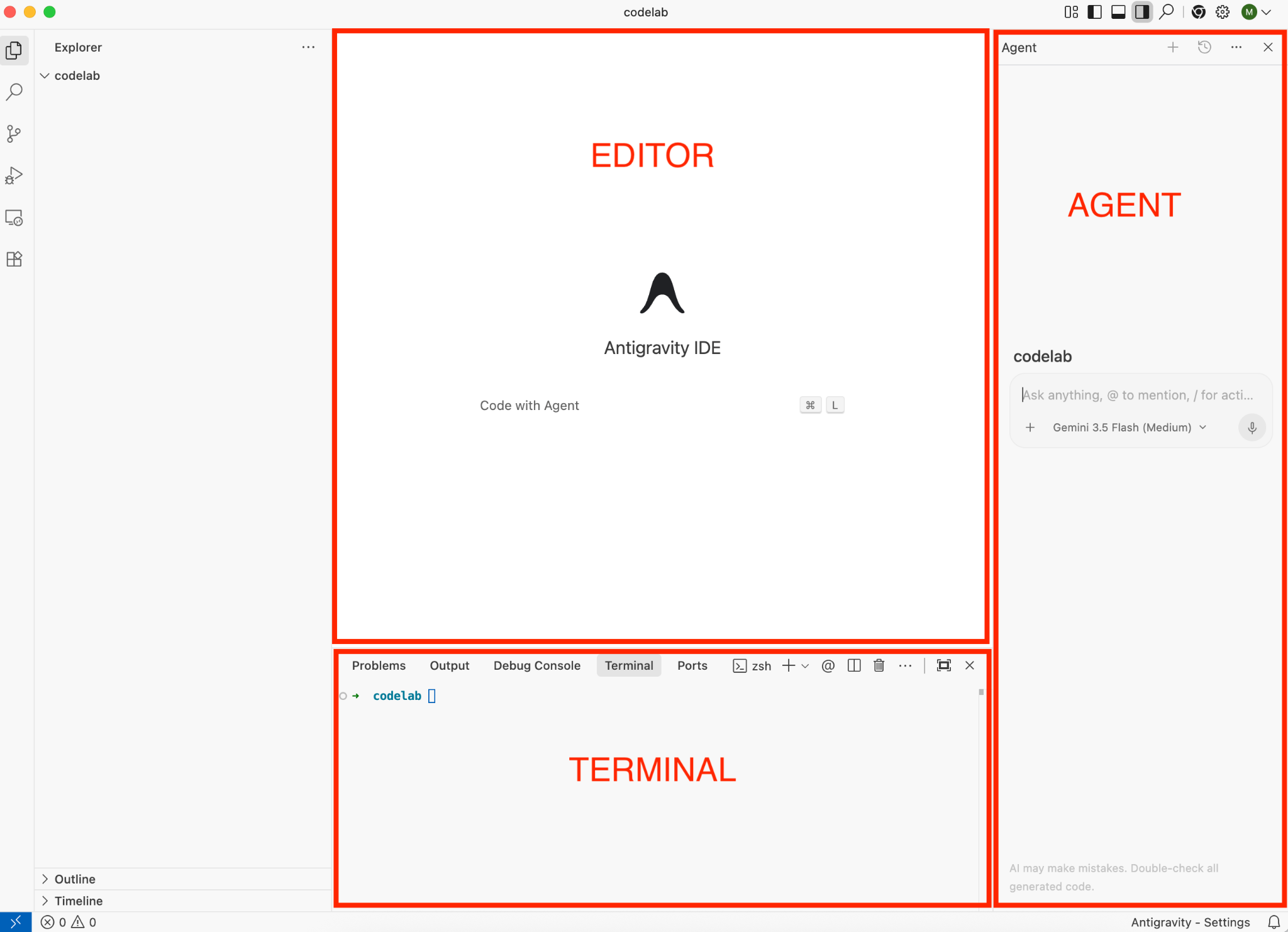
The tutorials include official Google Codelabs screenshots with reading notes, source credits, and full-size links.
Unmodified official sample screenshot · Source: Google Codelabs · CC BY 4.0 · Click to enlarge
Official resources worth bookmarking
- Google's IDE Codelab: a guided tour of installation and everyday IDE features.
- Antigravity product directory: choose between the IDE, desktop app, CLI, and SDK.
- IDE documentation: current product behavior and reference pages.
Our exercises focus on observable outcomes rather than promises about model performance. Product interfaces, model availability, account requirements, and quotas can change; consult the official documentation for current details.