
Teach the agent your project rules and skills
Add a workspace rule and a focused review skill, then check that both guide the next task.
Sources checked / updated · 10 min read
Pick the right kind of instruction
Use a rule for a project convention, such as preserving its package manager. Use a skill for a repeatable task with its own procedure, such as reviewing a reading-list feature.
The official Rules guide describes workspace rules in .agents/rules/ and activation options. The Skills guide describes task-specific folders containing SKILL.md under .agents/skills/. This exercise uses workspace scope so its instructions stay with one project.
1. Create a small rule
In the agent panel, open Customizations → Rules, create a workspace rule, and choose Always On for this practice. Use a name such as project-basics and this original content:
Use the package manager indicated by the existing lockfile.
Before changing application behavior, state the expected user-visible result.
Keep interface labels consistent with the surrounding application.
At completion, report changed files and checks actually performed.
Do not copy a package-manager name from another project. A convention is useful only if it matches the repository you are working in.
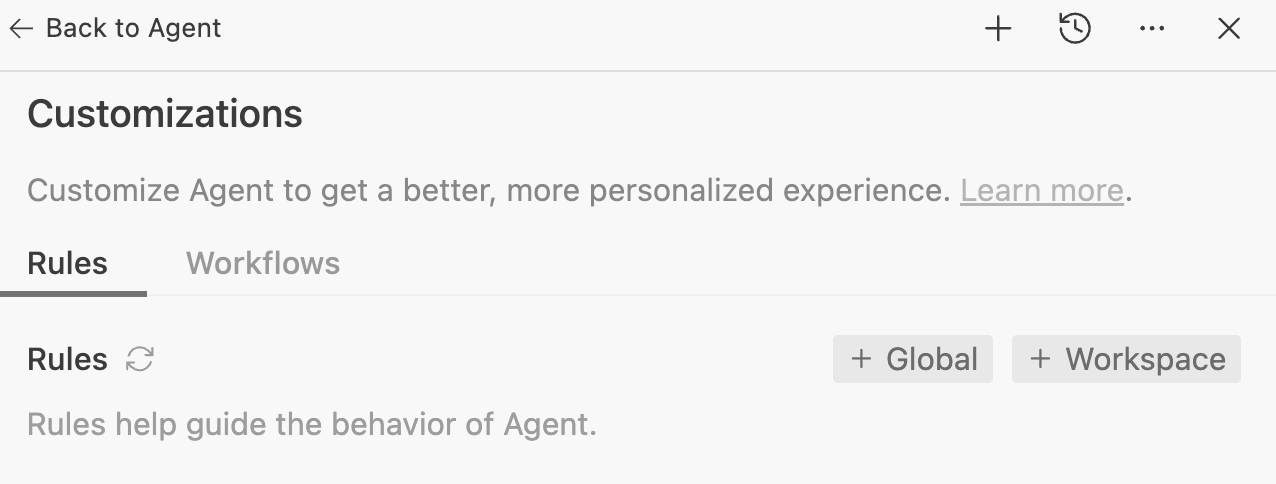
Choose + Workspace for this exercise so the rule belongs to this project. The adjacent Workflows tab is not the Skills folder.
Unmodified official sample screenshot · Source: Google Codelabs · CC BY 4.0 · Click to enlarge
Decide what belongs in each place
| Requirement | Put it in | Why |
|---|---|---|
| Preserve the project's package manager | Workspace rule | It applies across many coding tasks. |
| Review saved-list behavior in a fixed order | Skill | It is a focused procedure needed for a specific task. |
| Change the empty-state text today | Current task prompt | It is a one-off change, not a lasting convention. |
Prefer a small rule you can verify. “Write excellent code” has no clear pass condition. “Report the command you ran and its result” can be checked against the conversation and terminal output. If two instructions disagree, fix the files so the next task has one clear expectation.
2. Add a focused skill
Create .agents/skills/reading-list-review/SKILL.md with:
---
name: reading-list-review
description: Reviews reading-list forms and saved-item behavior. Use when checking changes to the reading-list app.
---

# Reading-list review

1. Locate the form validation and storage code.
2. Check blank titles, invalid URLs, reload behavior, and item deletion.
3. Trace one user action from the interface to the saved state.
4. Report each issue with a reproduction and an expected result.
5. Separate inspected behavior from behavior actually tested.
6. Do not edit files unless the user requests a fix.
This is an original example you can adapt. Keep the skill narrow enough that you can tell when it should run.
Check the file layout
project-root/
└── .agents/
    ├── rules/
    │   └── project-basics.md
    └── skills/
        └── reading-list-review/
            └── SKILL.md
The Rules UI manages its rule configuration; verify the file it creates in your project instead of replacing its metadata with an unrelated example. A skill needs a directory containing SKILL.md, with the name and description frontmatter shown above. Avoid accidentally creating SKILL.md.txt in a text editor.
Make the description name both the subject and the trigger. “Helper” is vague; “reviews reading-list forms and saved-item behavior” tells the agent when this skill is relevant. Start with instructions only. Add scripts or reference files later if the repeated task actually needs them.
3. Try both in a new task
Start a new conversation in the same workspace:
Use reading-list-review to review the current app.
Follow the project rules and report the checks you actually performed.
Do not change code yet.
Check the answer against the saved files. It should discuss the reading-list cases, avoid unrelated edits, and distinguish code inspection from executed tests. If the skill is missing, check the workspace root, folder name, and SKILL.md frontmatter before adding more instructions.
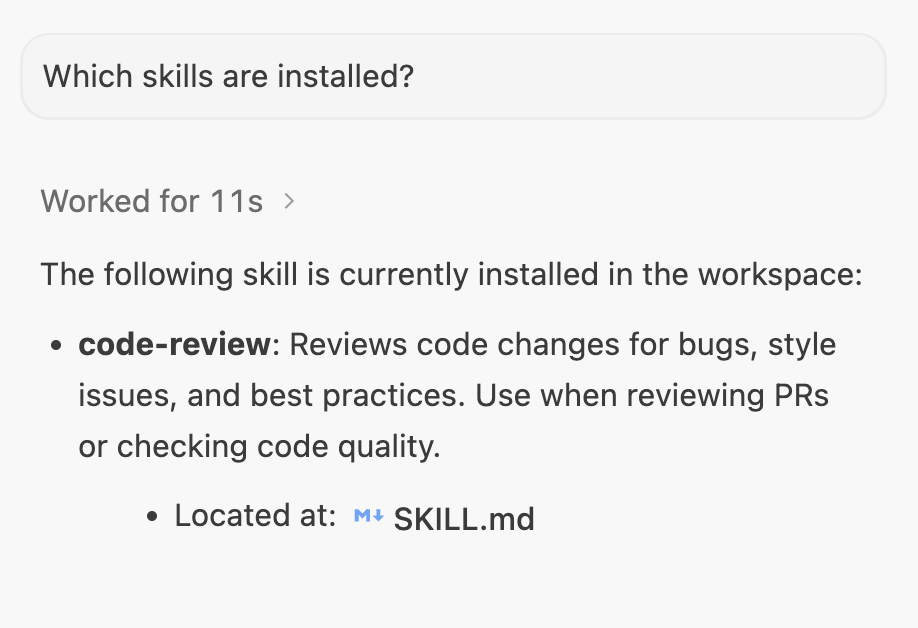
Ask about installed skills in a new conversation, then run a matching task. The screenshot shows the official code-review example; your skill is named reading-list-review.
Unmodified official sample screenshot · Source: Google Codelabs · CC BY 4.0 · Click to enlarge
Verify behavior, not just discovery
A listed skill proves only that its metadata was found. To check the procedure, ask the agent to identify the relevant validation and storage files and report which review steps it completed. Compare the response with the six steps in your skill.
Try a small change in the practice app, such as changing the unread filter. Ask for a review and check whether it follows the saved-state effects as well as the visible rows. If no browser run occurred, the result should say “inspected” or “not tested,” not “passed.”
| Problem | Check |
|---|---|
| Skill is missing | Correct project root, folder placement, filename, and frontmatter. |
| Skill is listed but ignored | Use its exact name in the prompt; make the description more specific. |
| Results are too generic | Replace broad instructions with concrete inputs and expected outcomes. |
| Unrelated tasks become overloaded | Remove one-off requirements from always-on rules. |
4. Maintain the instructions
Remove obsolete rules as the project changes. Keep examples concrete; a page of broad slogans is harder to verify than a few observable expectations.
Existing workflow users should consult the official Workflows migration notice before building a new workflow library. That page currently announces a transition to Skills by November 1, 2026.