
Build a reading-list app with an agent
Turn a clear brief into a plan, review the changes, and verify a small working application.
Sources checked / updated · 10 min read
The exercise
Build a local reading list with a title field, a URL field, and an unread/read toggle. It should survive a page reload using browser storage. This is our own practice brief, not a reproduction of an official sample. Allow 30–45 minutes; generated implementations will vary.
Prerequisite: complete IDE setup. Use a new practice folder, or an isolated branch of a frontend project that already runs.
1. Ask for a plan
Antigravity's implementation-plan artifact lets you review the proposed approach and submit comments. Whether execution waits for review depends on your review policy, so explicitly ask for a pause in this exercise.
Build a local reading-list app in this workspace.
A user can add a title and an http/https URL, mark an item as read,
filter unread items, and remove an item. Persist items in localStorage.
Reuse the existing stack. For an empty folder, propose a minimal setup first.
No login, server database, external API, or deployment is needed.
Before editing, propose the files to change and the acceptance checks.
Wait for my review of the plan.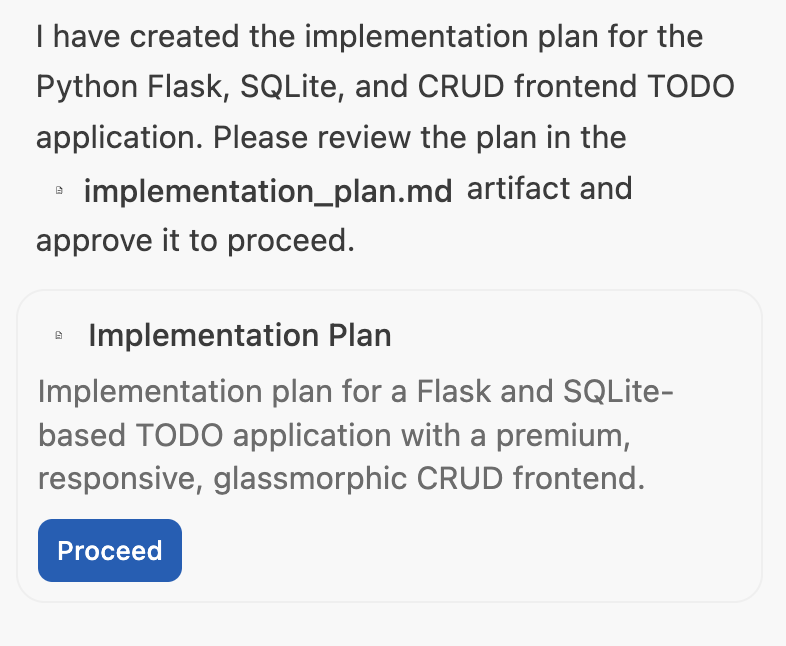
Open the plan before proceeding. This official screenshot uses a Flask TODO app; our exercise uses a browser-only reading list.
Unmodified official sample screenshot · Source: Google Codelabs · CC BY 4.0 · Click to enlarge
Make the data model explicit
Ask the plan to show one example record before it proposes components. This original example is enough for the exercise:
{
  "id": "example-item-1",
  "title": "Browser testing notes",
  "url": "https://example.com/notes",
  "isRead": false
}
The identifier should stay stable when the list is sorted or filtered. Using a visible row number as an item's identity can make a delete action target the wrong record after filtering. A filter should change the displayed subset, while the saved collection keeps all records.
2. Review scope before implementation
Check that the plan contains both the form and the saved-list state. Ask it to reject blank titles, trim whitespace, and handle invalid URLs. Confirm what happens when storage contains malformed data.
If the proposal introduces accounts or a backend, comment that this first version stores data only in the browser. Once the plan matches your brief, tell the agent to implement it.
Turn feedback into a concrete change
Instead of saying “make it simpler,” leave a comment with a clear boundary:
Keep the form, list, and storage logic in the existing frontend stack.
Reject whitespace-only titles and URLs without an http or https scheme.
Keep a stable ID for each item; filtering must not overwrite the saved collection.
If saved data cannot be read, explain the recovery behavior in the plan.
Update the plan and list which acceptance checks cover these decisions.
Submit the comment, then read the revised plan. An unsent draft comment cannot guide the next step. For this small app, one form component, one list component, and a storage helper may be enough; use the project's conventions rather than forcing that file structure.
3. Inspect the changes
Read the files that validate form input and save data. Ask why each new dependency is needed. Run the project's existing build or test command; the agent should report the actual command and result, including failures.
Do not use a successful build as the only acceptance criterion. It does not prove that saving and filtering work together.
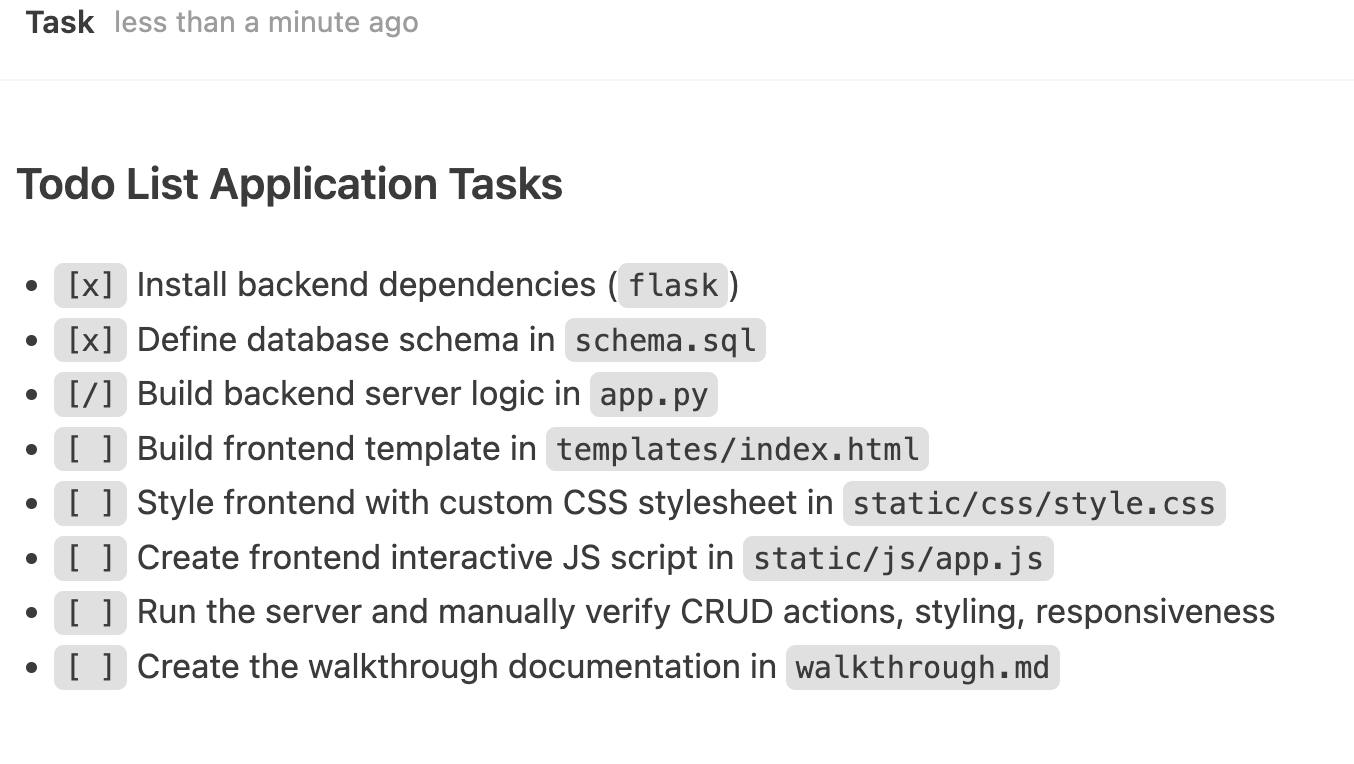
Use the task list to locate unfinished work. A checked implementation task still needs its corresponding behavior verified.
Unmodified official sample screenshot · Source: Google Codelabs · CC BY 4.0 · Click to enlarge
Review three separate outputs
- Code changes: Does the implementation match the agreed scope? Inspect validation, stable IDs, and storage reads/writes.
- Command results: Record the exact build or test command, its exit status, and any remaining errors.
- User behavior: Run the sequence below in the browser. A task list marked complete is not a substitute for this check.
If storage is unavailable, the interface should make that clear rather than implying the list was saved. For malformed saved data, choose a documented recovery behavior and try it only in the disposable practice project.
4. Try the acceptance checks
| Action | Expected result |
|---|---|
| Add a valid title and URL | One item appears |
| Submit an empty title | A useful validation message appears |
| Submit a non-http(s) URL | The item is rejected |
| Mark an item read and filter unread | The read item disappears from that view |
| Reload the page | Saved items and their status remain |
| Remove one of two items | Only the selected item disappears |
Browser storage is specific to the browser profile and site address. Changing profiles or ports can make a saved list appear empty; clearing storage removes it. This exercise does not provide account sync.
Use a repeatable two-item scenario
Add Alpha article with https://example.com/alpha and Beta article with https://example.com/beta. Mark Alpha read and select the unread filter: only Beta should remain visible. Reload without changing the site address; return to the all-items view and confirm both records and Alpha's status remain. Delete Beta from the unread view, then check that Alpha still exists in the all-items view.
This sequence catches bugs that a simple “add and delete” demo misses. Also try a long title, keyboard submission, and an empty list. Keep optional improvements—such as title search or a visible unread count—for a second iteration so failures remain easy to isolate.
Fix one failure at a time
Give the agent the input, observed result, and expected result for a failed check. Request the smallest correction, then repeat that check and one neighboring flow. Next: browser verification.