
Install Antigravity IDE and run your first task
Choose the right download, open a workspace, and complete a small, reviewable first task.
Sources checked / updated · 8 min read
What you will make
A small PROJECT-NOTES.md file that explains a practice project. This exercise focuses on understanding the workspace before asking an agent to change application code. Allow about 15 minutes for the exercise, plus download time.
1. Choose the IDE download
Use the official IDE getting-started page and follow its download link. Select Antigravity IDE and the package for your operating system. Check the current system requirements there before installing.
Antigravity's standalone desktop application, IDE, and CLI are different interfaces. These tutorials focus on the IDE; the official product directory explains the alternatives. If you expected a code editor but opened a task-management application, check which product you installed.
2. Open a practice workspace
Complete sign-in and onboarding, then open a local project folder. Google’s IDE codelab walks through the editor, terminal, and agent panel, and recommends review-driven development for its introductory exercise.
For this practice, choose a small sample repository you can safely edit. First run its documented start command yourself. Write down whether it works; an existing failure should not later be mistaken for a new agent regression.
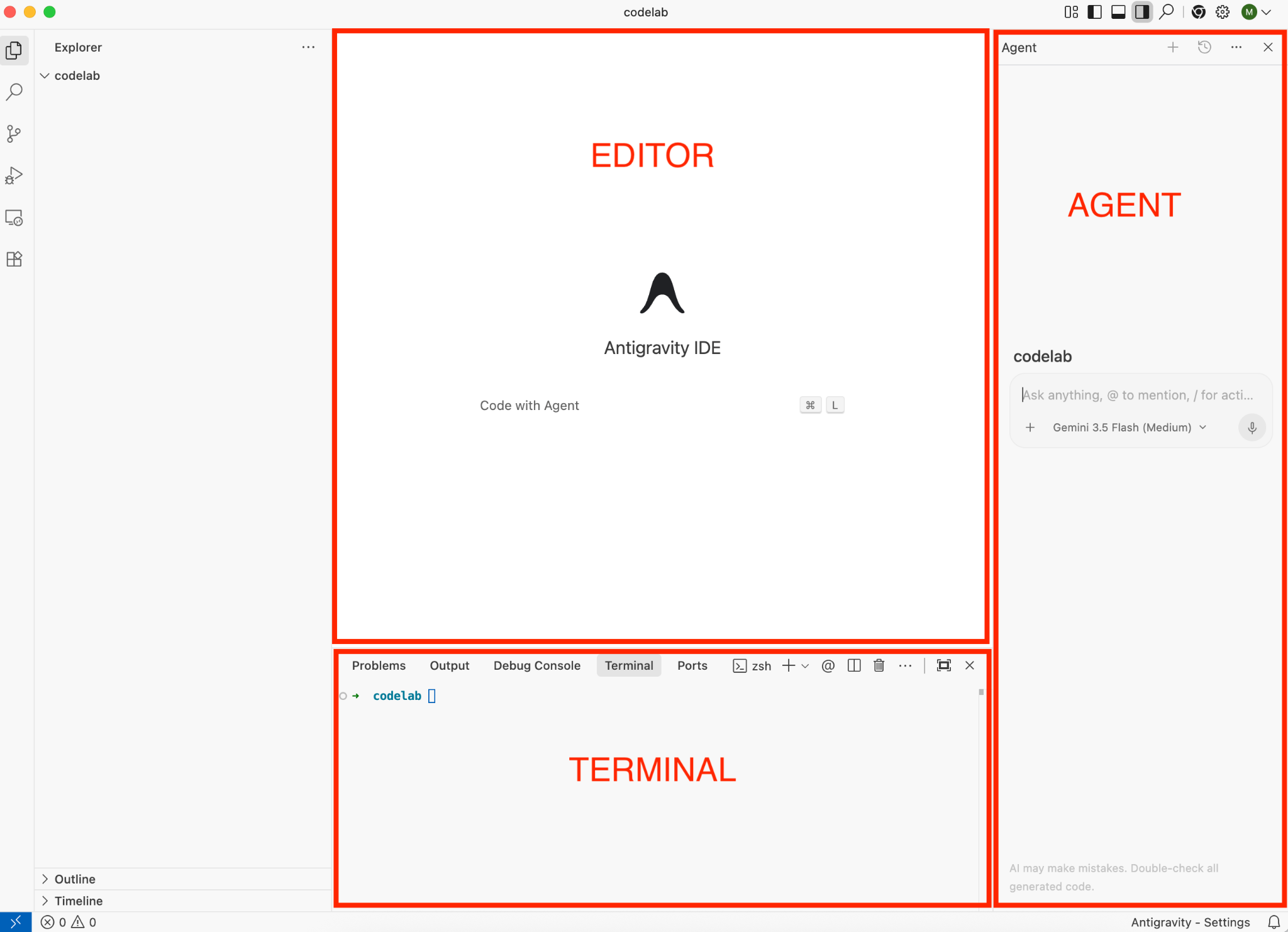
Use the Explorer to check the project folder, the editor to inspect files, and the terminal to compare actual command output.
Unmodified official sample screenshot · Source: Google Codelabs · CC BY 4.0 · Click to enlarge
Orient yourself before the first prompt
| Area | What to check in this exercise |
|---|---|
| Explorer, on the left | The open folder contains the expected README and source files. |
| Editor, in the center | You can open the file the agent cites and compare its contents. |
| Terminal, below | Commands run in the intended project; keep the original startup output. |
| Agent, on the right | This is where you send the bounded task and review the response. |
Opening a parent folder containing several repositories can produce an ambiguous result. Open the specific project root. If you are starting from an empty folder, add a short README describing your intended project first; there are no existing entry points for the agent to discover yet.
Prepare a baseline
For a Git project, run these read-only commands before the task:
git status --short
git diff --stat
Record existing edits. After the task, compare against that baseline instead of assuming every changed file was created by the agent. You do not need to commit or stage anything to complete this tutorial.
3. Give the agent a bounded task
Paste this original exercise prompt into the agent panel:
Inspect this project and draft PROJECT-NOTES.md.
Explain its purpose, entry points, and the start/test commands you found.
Cite the local files that support each claim.
Do not install dependencies or modify application code.
If a command is not documented, say it is unknown rather than inventing it.
Show me the proposed content before writing the file.
Read the draft. Compare one cited file and one command with the actual repository. Correct any mismatch, then ask the agent to save the agreed draft.
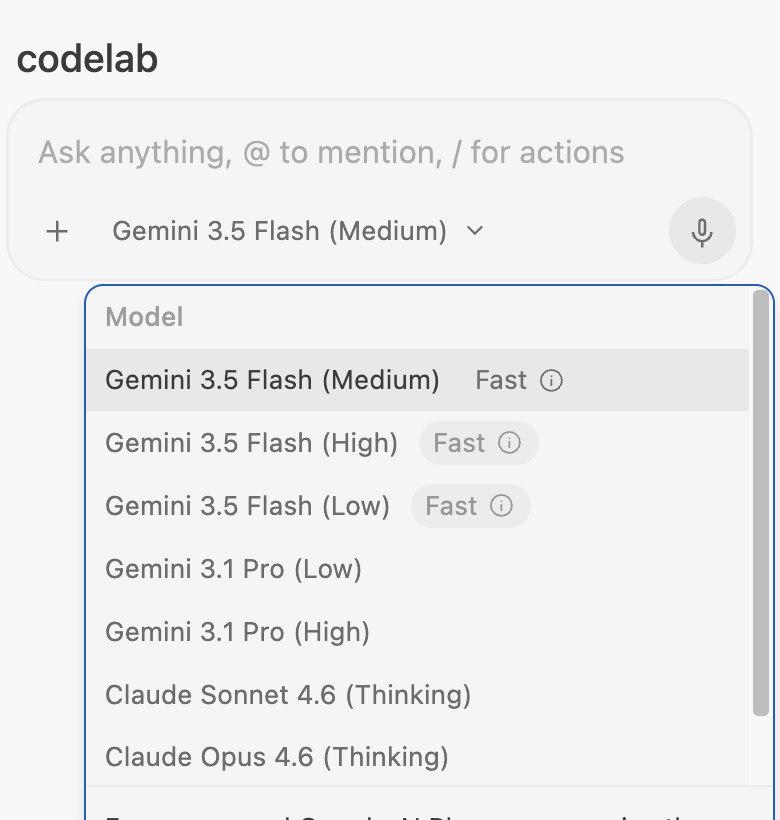
The input supports @ context references. Model names shown here belong to the official sample and may differ in your account.
Unmodified official sample screenshot · Source: Google Codelabs · CC BY 4.0 · Click to enlarge
Supply context when a result is too vague
If the answer is generic, use @ in the input to select the actual README or relevant configuration file. Then ask a smaller follow-up:
Recheck the start command against the attached README and package configuration.
Show the exact script or documented instruction that supports your answer.
Separate commands you found from commands you actually executed.
A useful project note has four parts: purpose, entry files, documented commands, and unresolved questions. “A modern web application” is too vague; a useful purpose names what the user can do. A command can be documented but still fail locally, so record those two facts separately.
4. Verify the result
Your checkpoint is a readable note, with no unrelated code edits. Review the changed-files view or run git diff --stat in a Git repository. Confirm the new file exists; a newly created, untracked file may not appear in git diff until staged.
If the agent describes the wrong project, reopen the intended folder and ask it to name the workspace it is inspecting. If it cannot start a command, check the project's runtime prerequisites before requesting a rewrite.
Troubleshooting your first task
| Symptom | Next useful action |
|---|---|
| The agent cites files from another app | Confirm the open folder and attach the intended README. |
| A start command fails immediately | Compare the runtime version and setup prerequisites with the README. |
| The note exists only in the conversation | Ask to save the reviewed draft, then open the file from Explorer. |
| New code appears beyond the note | Review those individual changes against the baseline before keeping them. |
You are finished when the saved note can help someone else locate the entry point and reproduce your startup attempt, including any unresolved errors.
Continue learning
Next: build a small reading-list app. The prompts here are independent practice examples; use the linked official guides for product UI details that may change between releases.